
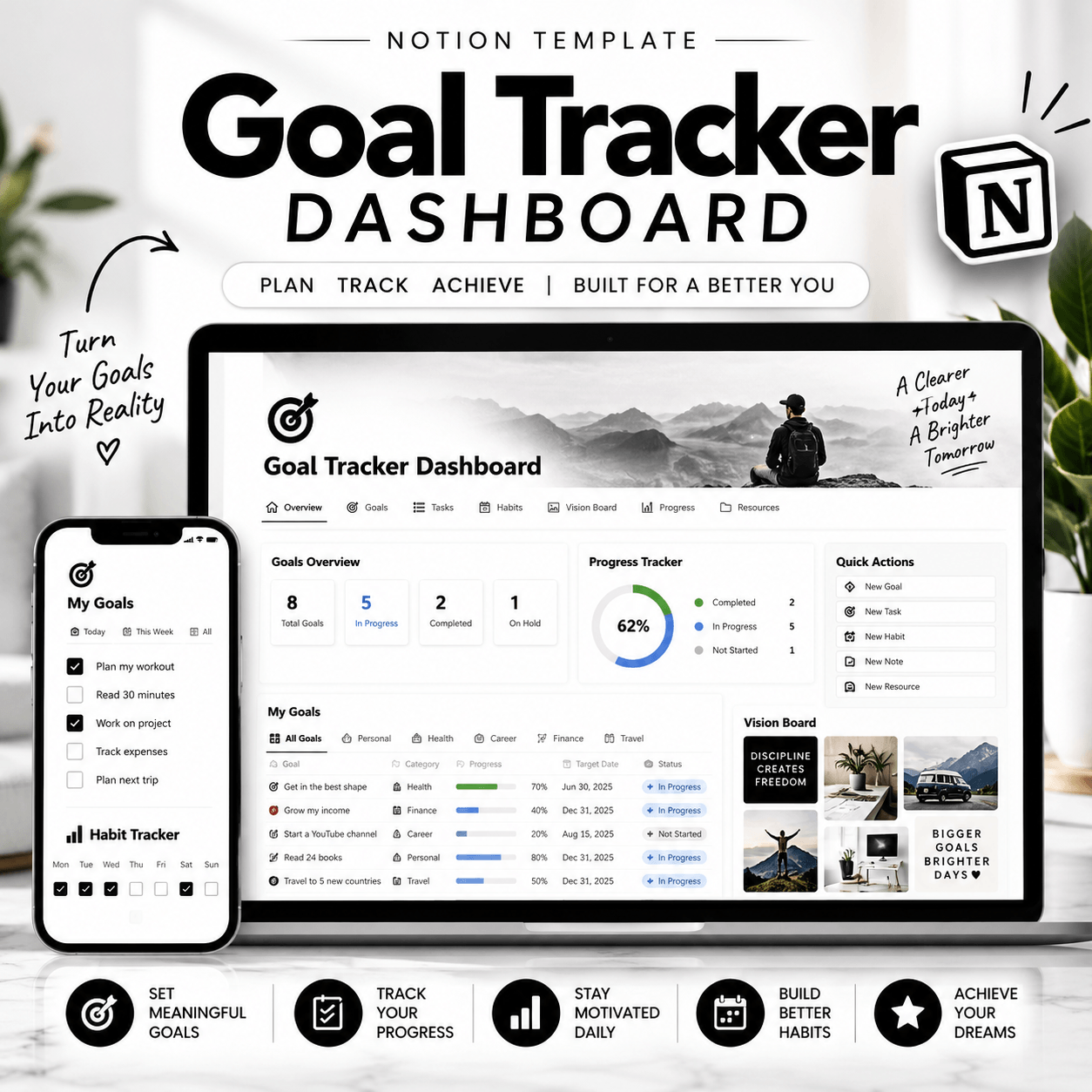
Goal Tracker Dashboard Notion Template
Make your goals easier to organize, manage, and review with the Goal Tracker Dashboard Notion Template. Designed for people who want more structure in their everyday planning, this digital workspace helps you bring your goals, priorities, and progress into one convenient place.
Whether you’re working toward personal milestones, improving your productivity, planning your studies, or growing your business, this Notion goal planner provides a practical starting point for organizing your ambitions and deciding what to focus on next.
Organize Your Goals in One Workspace
Big goals can feel overwhelming when you don’t have a clear plan. A structured goal-tracking system helps you break down what you want to achieve, identify important milestones, and keep your priorities visible.
With the Goal Tracker Dashboard Notion Template, you can create a more organized approach to planning. Use the workspace to record your objectives, outline your next steps, and review your progress as your plans evolve.
Instead of keeping your goals scattered across notebooks, documents, and different apps, you can bring your planning process together in Notion.
Features and Benefits
✅ 1. Centralized Goal Planning
Keep your goals organized in one workspace so you can quickly review what you’re working toward and what deserves your attention.
✅ 2. Progress Monitoring
Use the available tracking features to review your progress and identify which goals need additional attention. Your exact tracking options depend on the included template setup.
✅ 3. Clearer Priorities
Give your goals more structure by identifying important tasks, milestones, and next steps. This makes it easier to approach larger objectives one step at a time.
✅ 4. Flexible Personalization
Adapt compatible Notion pages, databases, and views to suit your planning preferences and working style.
✅ 5. Convenient Digital Access
Access your purchased template using the delivery instructions provided with your order. You can then duplicate it into your Notion workspace, subject to the template’s setup requirements.
Who Is This Notion Goal Planner For?
This goal-tracking workspace is suitable for a variety of planning needs.
✅ Students: Organize academic goals, study milestones, and personal development plans.
✅ Entrepreneurs: Keep business objectives and important priorities visible.
✅ Freelancers: Plan professional milestones and track progress toward work-related goals.
✅ Productivity Enthusiasts: Create a structured approach to personal planning and self-improvement.
✅ Everyday Planners: Bring short-term priorities and long-term ambitions into one organized system.
Whether you’re planning a new project, developing a skill, or working toward a personal milestone, a goal planner can help you establish a clearer direction. View More Notion Templates
How to Use Your Notion Template
Getting started is straightforward:
1. Purchase the Goal Tracker Dashboard Notion Template.
2. Follow the product delivery instructions to open your template.
3. Duplicate it into your Notion workspace if required.
4. Add your goals and organize them according to your priorities.
5. Review your progress regularly and update your plans as needed.
For the best experience, take a few minutes to familiarize yourself with the included pages and tracking features before getting started.
Why Choose the Goal Tracker Dashboard?
A useful goal planner should make your planning process easier to follow, not more complicated. This template offers a structured starting point for organizing your objectives and creating a more consistent approach to tracking progress.
Use it to bring greater visibility to your priorities, keep important milestones in view, and build a planning routine that fits your lifestyle.
Ready to bring more structure to your goals? Explore the Goal Tracker Dashboard Notion Template and create a workspace that supports your next steps, one goal at a time.
How It Works:
1️⃣ Purchase the product
2️⃣ Download instantly
Important Notes:
📌 This is a digital product; no physical item will be shipped.
📌 A Notion account may be required to use the template.
📌 Features and customization options depend on the actual template.
📌 This template is an organizational tool, not a bank account integration or payment-processing service unless explicitly stated.



Reviews
There are no reviews yet.