
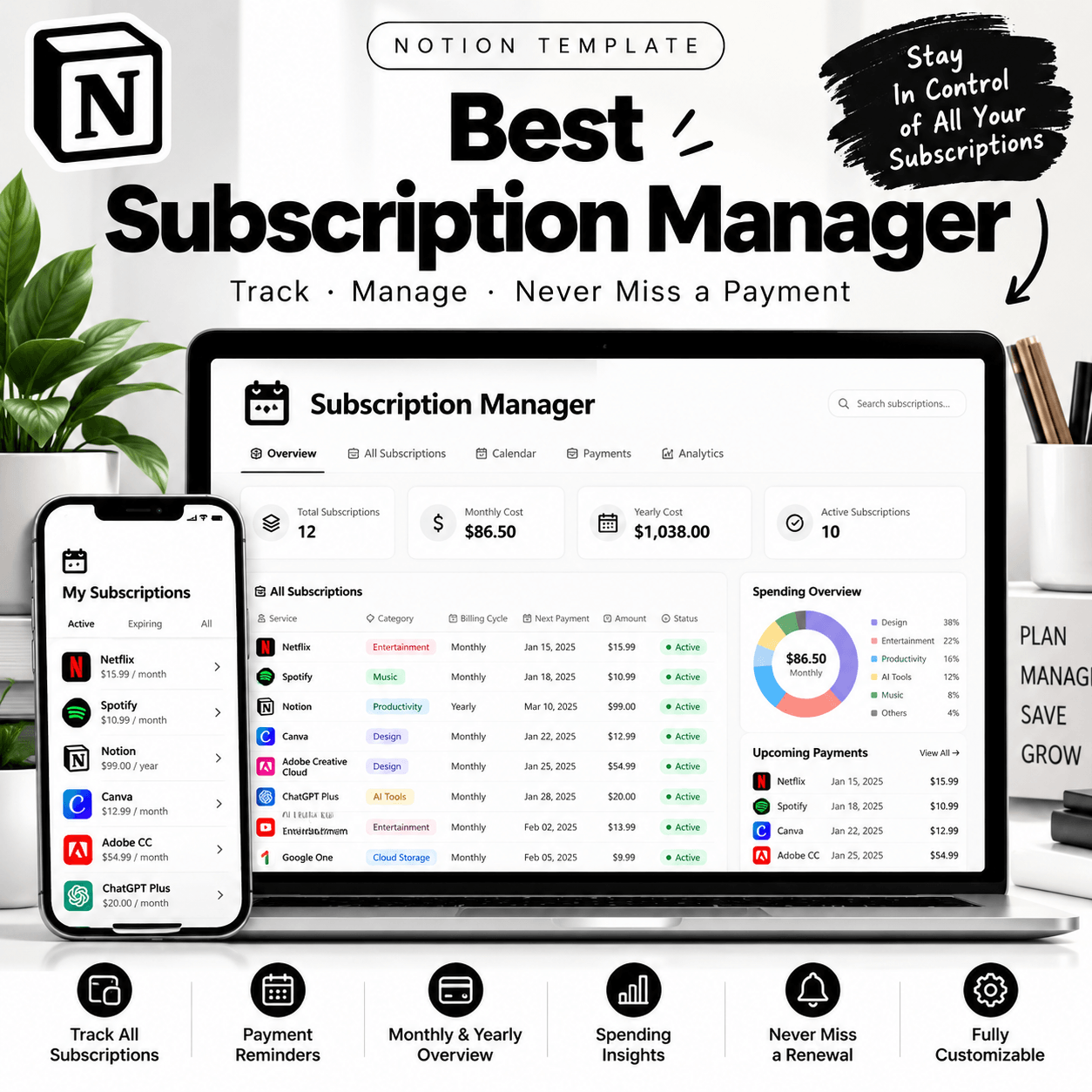
Best Subscription Manager Notion Template for Easy Expense Tracking
Subscriptions can quickly become difficult to manage when billing dates, renewal reminders, and payment details are scattered across different apps and accounts. The Best Subscription Manager Notion Template helps you bring your recurring subscription information together in one organized workspace.
Whether you pay for streaming platforms, productivity software, online memberships, or professional tools, this subscription tracker gives you a structured place to record and review your recurring expenses.
Designed for people who use Notion to simplify everyday organization, this template can help you develop a clearer overview of your subscriptions and make more informed decisions about your spending.
Organize Your Subscriptions in One Place
Keep your subscription details organized instead of searching through emails, payment notifications, and separate spreadsheets.
Use your workspace to record important information about each subscription, such as its name, provider, cost, billing frequency, renewal date, and payment status, where supported by the template.
Having these details together makes it easier to review the services you use and identify subscriptions you may want to evaluate.
Track Monthly and Annual Subscription Costs
Recurring payments can add up over time. A subscription expense tracker helps you understand how much you spend on digital services, memberships, and software. View More Notion Templates
Depending on the fields and calculations included in your template, you can organize costs by billing frequency and review your estimated monthly or annual subscription expenses.
Use this information to compare services, review your budget, and decide which subscriptions continue to provide value.
Stay Aware of Renewal Dates
Renewal dates are easy to overlook when you manage multiple services. Keep relevant billing dates and renewal information organized so you can review upcoming payments before they occur.
Where supported, use date properties, calendar views, or reminders to make important renewal information easier to find.
This can be particularly useful for annual memberships, software licenses, and services that renew automatically.
Notion reminders and automated notifications depend on your workspace setup and the features configured in the template.
Who Can Benefit from This Subscription Tracker?
The Best Subscription Manager Notion Template is suitable for a variety of users.
✅ Students: Organize educational platforms, digital tools, entertainment services, and recurring student expenses.
✅ Freelancers: Keep track of creative software, business applications, productivity tools, and professional memberships.
✅ Professionals: Maintain an organized record of work-related and personal subscriptions.
✅ Individuals and Families: Review recurring services and understand how subscriptions fit into your monthly budget.
✅ Notion Users: Add subscription management to an existing personal finance or productivity workspace.
A Practical Addition to Your Notion Workspace
Notion provides a flexible environment for organizing information. A dedicated subscription manager can help you keep recurring expenses separate from general notes and everyday tasks.
Depending on the template’s actual configuration, you may be able to sort subscriptions by provider, group them by category, filter by billing frequency, or view important dates in a structured database.
You can also adapt supported properties and views to suit your personal tracking preferences.
How to Use Your Notion Subscription Manager
1. Purchase the digital template from Notionnest.
2. Follow the product’s delivery instructions to access the template.
3. Duplicate it into your Notion workspace if duplication is supported.
4. Enter your current subscription details and billing information.
5. Review recurring costs and renewal dates regularly.
6. Update your records whenever a subscription changes or is cancelled.
For the best experience, keep your information up to date and review your subscriptions periodically.
How It Works:
1️⃣ Purchase the product
2️⃣ Download instantly
Important Notes:
📌 This is a digital product; no physical item will be shipped.
📌 A Notion account may be required to use the template.
📌 Features and customization options depend on the actual template.
📌 This template is an organizational tool, not a bank account integration or payment-processing service unless explicitly stated.


Reviews
There are no reviews yet.