
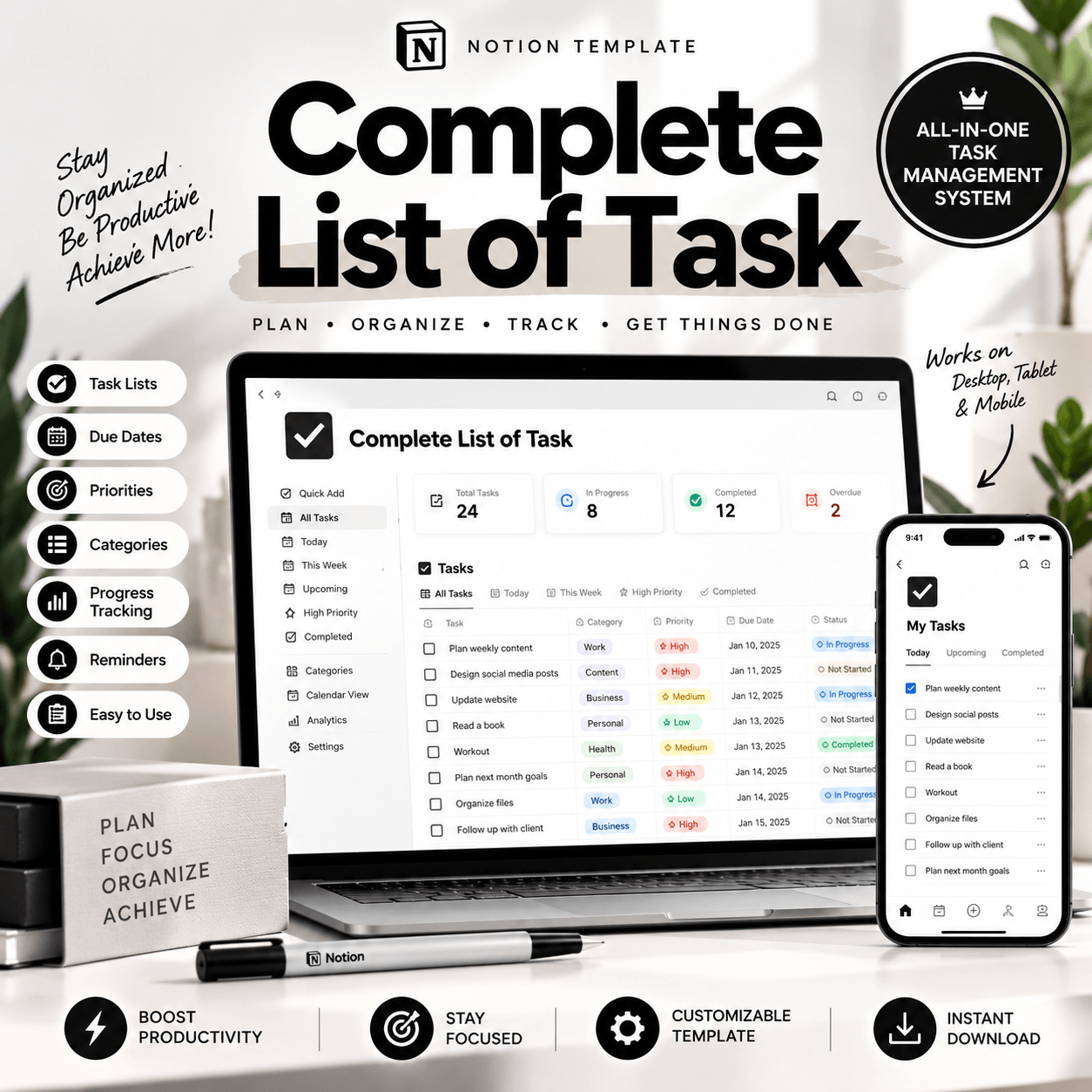
Complete List of Tasks Notion Template – Organize Your To-Do List
Looking for a simple way to organize your daily responsibilities? The Complete List of Tasks Notion Template helps you bring your to-do lists, priorities, and everyday tasks into one organized digital workspace. Whether you’re a student, freelancer, professional, or entrepreneur, this Notion task planner can help you create a clearer system for managing the things you need to get done.
Instead of keeping tasks scattered across multiple notes and lists, use a structured Notion workspace to organize your workload and make planning part of your everyday routine.
Stay Organized with a Digital Task Planner
Managing multiple responsibilities can become overwhelming when you don’t have a clear place to keep track of them. A task management template gives you a dedicated workspace where you can organize your to-do list and review what needs your attention.
Use the Complete List of Tasks Notion Template to support your personal productivity, daily planning, and task organization. Keep your responsibilities easier to review and build a routine that works with your schedule.
Whether you’re planning your day, organizing study sessions, or managing ongoing projects, a digital task planner can help you approach your workload with more clarity.
What Can You Use This Notion Template For?
Daily Task Management: Keep your everyday responsibilities organized and make it easier to review your to-do list.
Personal Productivity: Create a consistent planning routine and keep important tasks visible.
Study Planning: Organize schoolwork, assignments, revision sessions, and other academic responsibilities.
Work and Business Tasks: Manage professional to-dos, administrative work, and ongoing responsibilities in one workspace.
Project Organization: Use a centralized task list to keep track of the work that needs your attention.
The exact fields, views, and features available depend on the included template design. Check the product images for a preview of the workspace before purchasing.
Who Is This Template For?
This Notion task planner is ideal for students, busy professionals, freelancers, small business owners, and productivity enthusiasts who want a more structured way to manage their responsibilities.
It’s also suitable for anyone getting started with Notion who wants a ready-made starting point instead of creating a task management system from scratch. View More Notion Templates
You can use the template as part of your personal productivity setup and adapt compatible elements to suit your own planning preferences.
Why Choose a Notion Task Management Template?
A well-organized to-do list makes it easier to see what needs to be done and decide where to focus your attention. By bringing your tasks into one digital workspace, you can create a more consistent approach to planning your day and managing your workload.
The Complete List of Tasks Notion Template offers a convenient starting point for building your personal task organization system. Use it to support your everyday workflow, keep your responsibilities in view, and make planning feel more manageable.
How Does It Work?
1. Purchase the digital product.
2. Follow the delivery instructions provided with your order.
3. Open the template using the supplied Notion link or access instructions.
4. Duplicate the template into your Notion workspace if supported by the provided setup.
5. Start organizing your tasks according to your needs.
A Notion account is required. Please review the product preview, included features, and access instructions before purchasing.
Ready to organize your tasks? Get the Complete List of Tasks Notion Template and create a more structured workspace for your everyday responsibilities.
How It Works:
1️⃣ Purchase the product
2️⃣ Download instantly
Important Notes:
📌 This is a digital product; no physical item will be shipped.
📌 A Notion account may be required to use the template.
📌 Features and customization options depend on the actual template.
📌 This template is an organizational tool, not a bank account integration or payment-processing service unless explicitly stated.


Reviews
There are no reviews yet.