
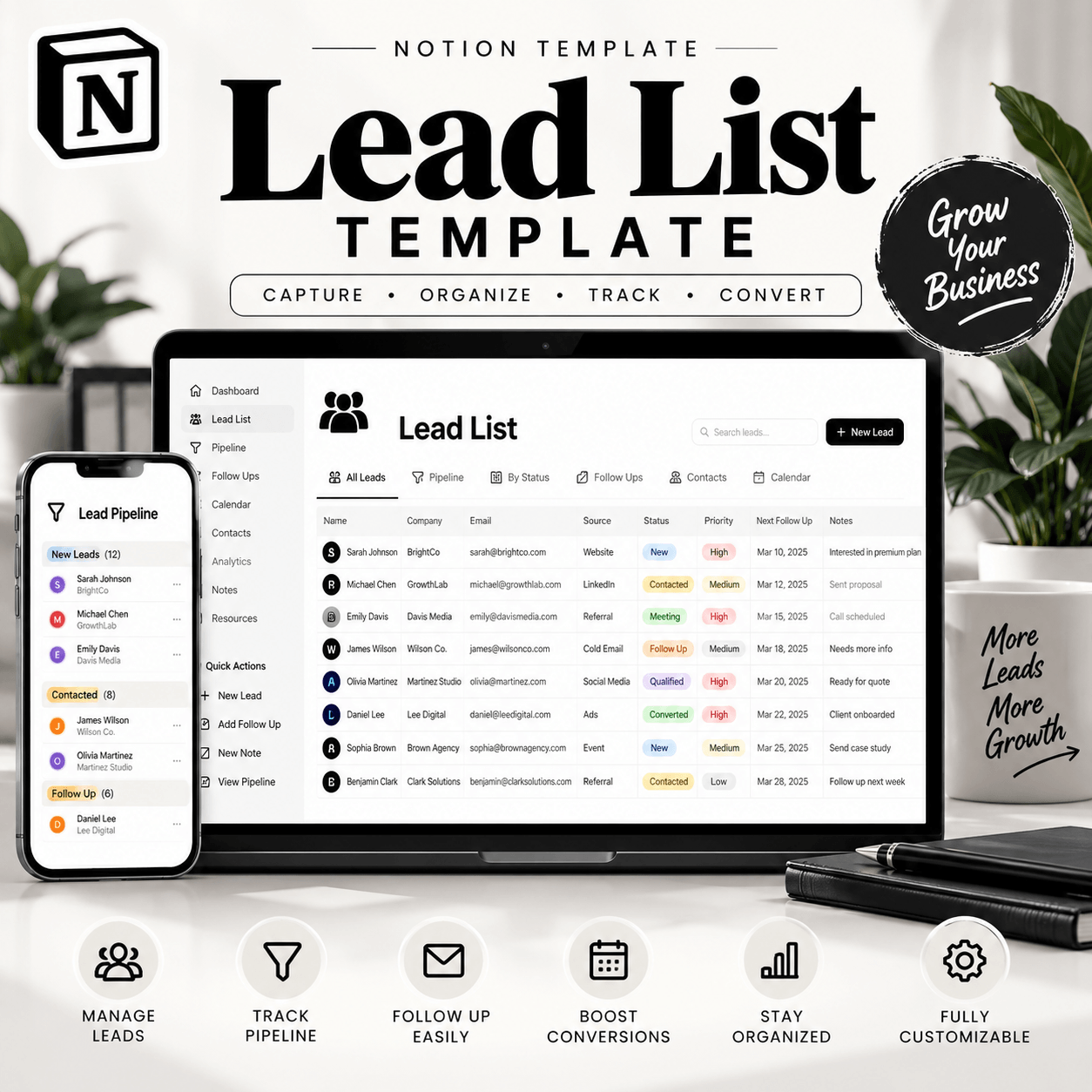
Lead List Notion Template – Organize Your Prospects in One Place
Managing potential customers becomes difficult when contact details, prospect information, and follow-up notes are scattered across different spreadsheets, documents, and applications. The Lead List Notion Template provides a structured way to organize your leads and keep important prospect information accessible in one workspace.
Designed for freelancers, entrepreneurs, small business owners, and sales professionals, this Notion template can help you create a more organized approach to lead management. Instead of searching through multiple lists, you can use a centralized workspace to keep track of your prospects and maintain a clearer view of your sales activities.
Keep Your Lead Information Organized
A consistent lead management process starts with having your information in the right place. Use this template to maintain a structured lead list and organize the details you need when working with potential customers.
Depending on your setup, your lead database can include contact names, company details, email addresses, lead sources, prospect status, and follow-up notes. Keeping these details together can make it easier to review your prospects and identify the next steps in your outreach process.
You can also adapt the available fields and views to match your business requirements and preferred working style.
Make Prospect Tracking Easier
Following up with potential customers is an important part of building business relationships. A well-organized lead list can help you keep track of conversations, review prospect status, and remember which contacts need attention.
Use your workspace to organize prospects into meaningful stages, such as new lead, contacted, follow-up required, interested, or converted, where supported by your setup. This can give you a clearer overview of your pipeline and help you plan your next actions.
The template is designed to support your organization process rather than replace your judgment, communication, or sales strategy.
Who Is This Notion Template For?
The Lead List Notion Template is suitable for anyone who regularly works with potential customers or business contacts.
✅ Freelancers: Keep prospective clients organized while managing outreach and service inquiries.
✅ Small Business Owners: Maintain a central record of potential customers and business opportunities.
✅ Sales Professionals: Organize prospect details and monitor progress through your sales workflow.
✅ Consultants and Service Providers: Keep track of inquiries, client prospects, and follow-up conversations.
✅ Entrepreneurs: Build a simple foundation for organizing leads as your business grows.
Whether you manage a small contact list or are developing a more consistent lead generation process, an organized workspace can make everyday prospect management easier.
Why Use Notion for Lead Management?
Notion offers a flexible workspace where databases, pages, notes, and views can work together. A lead list built in Notion can be adapted to your existing workflow and adjusted as your business needs change. View More Notion Templates
You can use the workspace to keep contact information accessible, organize prospect details, and maintain notes related to your outreach. Depending on the template configuration, you may also be able to sort, filter, and group records to focus on specific lead categories or follow-up stages.
This flexibility makes Notion a practical option for people who prefer a customizable workspace instead of managing disconnected lists.
How to Use Your Lead List Notion Template
Getting started is straightforward:
1. Purchase the digital product through the website.
2. Access the template using the delivery instructions provided.
3. Open the template link and duplicate it into your Notion workspace, if duplication is supported.
4. Review the existing fields and adapt them to your lead management process.
5. Add your prospect information and keep your records updated as conversations progress.
For the best results, maintain accurate information, update lead statuses regularly, and establish a follow-up routine that suits your business.
Start Organizing Your Prospects Today
Your lead information is more useful when it is organized and easy to review. The Lead List Notion Template gives you a practical starting point for bringing your prospect records together and building a more consistent lead management routine.
If you want a clearer way to organize potential customers, track prospect information, and manage your outreach workflow, this template can help you create a workspace that works for you.
Get your Lead List Notion Template and take the next step toward a more organized approach to prospect management.
How It Works:
1️⃣ Purchase the product
2️⃣ Download instantly
Important Notes:
📌 This is a digital product; no physical item will be shipped.
📌 A Notion account may be required to use the template.
📌 Features and customization options depend on the actual template.
📌 This template is an organizational tool, not a bank account integration or payment-processing service unless explicitly stated.


Reviews
There are no reviews yet.