
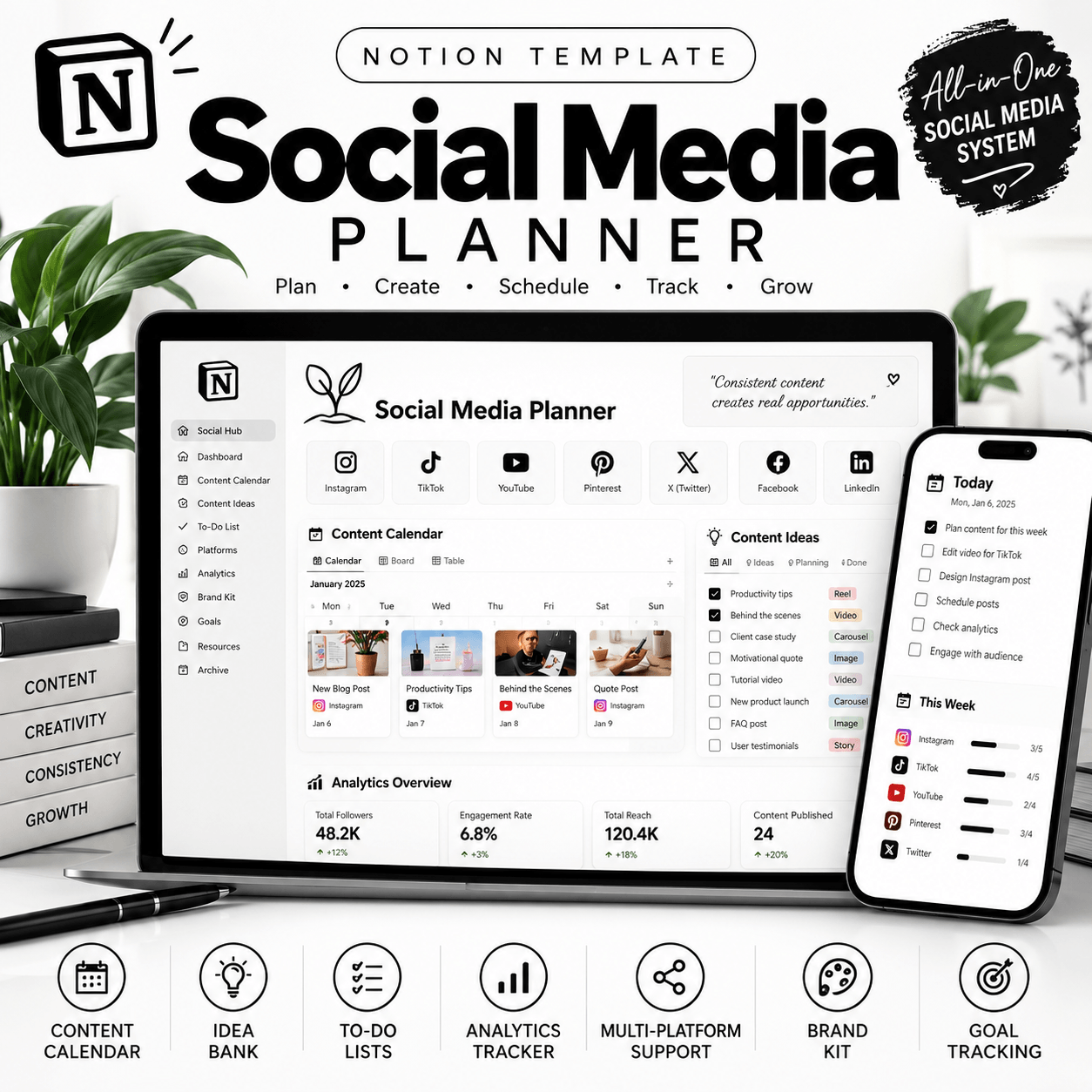
Social Media Planner Notion Template — Organize Your Content with Confidence
Planning social media content doesn’t have to mean juggling scattered notes, forgotten ideas, and last-minute posting decisions. The Social Media Planner Notion Template gives you a dedicated workspace to organize your content ideas, plan upcoming posts, and create a more structured social media workflow.
Whether you’re a content creator, social media manager, freelancer, or small business owner, this digital Notion template can help you bring your planning process together in one convenient place.
Plan Your Social Media Content in One Place
A consistent content workflow starts with having a clear view of what you want to publish and when you want to publish it.
Use your Social Media Planner Notion Template to organize content ideas, prepare upcoming posts, and keep track of your publishing plans. Instead of searching through multiple documents or trying to remember every idea, you can create a centralized workspace for your social media planning. View More Notion Templates
Adapt the template to your preferred workflow and make it a practical part of your content creation routine.
Features of the Social Media Planner
Content Idea Organization
Collect post ideas, campaign concepts, and creative inspiration in one organized workspace. Keep potential content topics available when you’re ready to plan your next post.
Content Calendar Planning
Organize your planned content around your publishing schedule. A structured calendar can help you see upcoming posts and prepare your content ahead of time.
Content Workflow Management
Create a clearer process for managing content from initial ideas to preparation and publishing. Use the available fields and views according to the features included in your purchased template.
Flexible Planning
Adapt compatible pages, properties, and views to suit your goals, preferred platforms, and content creation style.
A Centralized Workspace
Keep your social media planning information together instead of relying on scattered notes and disconnected lists.
Who Is This Notion Template For?
This Social Media Planner is suitable for people who want a more organized approach to content planning, including:
Content creators: Organize ideas and plan future content.
Social media managers: Maintain an overview of content schedules and projects.
Small business owners: Plan social media activity alongside other business responsibilities.
Freelancers and virtual assistants: Organize content planning tasks for their own work or clients.
Bloggers and marketers: Keep track of potential topics and upcoming promotional content.
Entrepreneurs: Build a repeatable content planning routine around their business goals.
Whether you manage one account or coordinate content across multiple platforms, you can adapt the workspace to fit your needs.
Why Use a Social Media Planner in Notion?
Social media planning involves more than deciding what to post. It also requires organizing ideas, preparing content, tracking progress, and maintaining a consistent workflow.
A dedicated Notion planner can make these activities easier to manage by providing a structured place for your planning information. You can review your upcoming content, revisit saved ideas, and make adjustments as your priorities change.
Rather than starting from a blank page, you can begin with a ready-made structure and customize it to match the way you work.
How to Access Your Template
1. Purchase the Social Media Planner Notion Template.
2. Follow the access instructions provided after purchase.
3. Open the supplied Notion template link.
4. Duplicate the template into your Notion workspace if the template uses duplication.
5. Customize the available sections to match your content planning needs.
A compatible Notion account may be required. Review the product’s included features and instructions before purchasing.
A More Organized Approach to Content Creation
Your content ideas deserve a place where you can develop them into actionable plans. With the Social Media Planner Notion Template, you can build a more structured planning routine, organize upcoming posts, and keep your creative workflow easier to navigate.
Ready to organize your content? Add this digital template to your Notion toolkit and start building a social media planning system that works for you.
How It Works:
1️⃣ Purchase the product
2️⃣ Download instantly
Important Notes:
📌 This is a digital product; no physical item will be shipped.
📌 A Notion account may be required to use the template.
📌 Features and customization options depend on the actual template.
📌 This template is an organizational tool, not a bank account integration or payment-processing service unless explicitly stated.

Reviews
There are no reviews yet.