
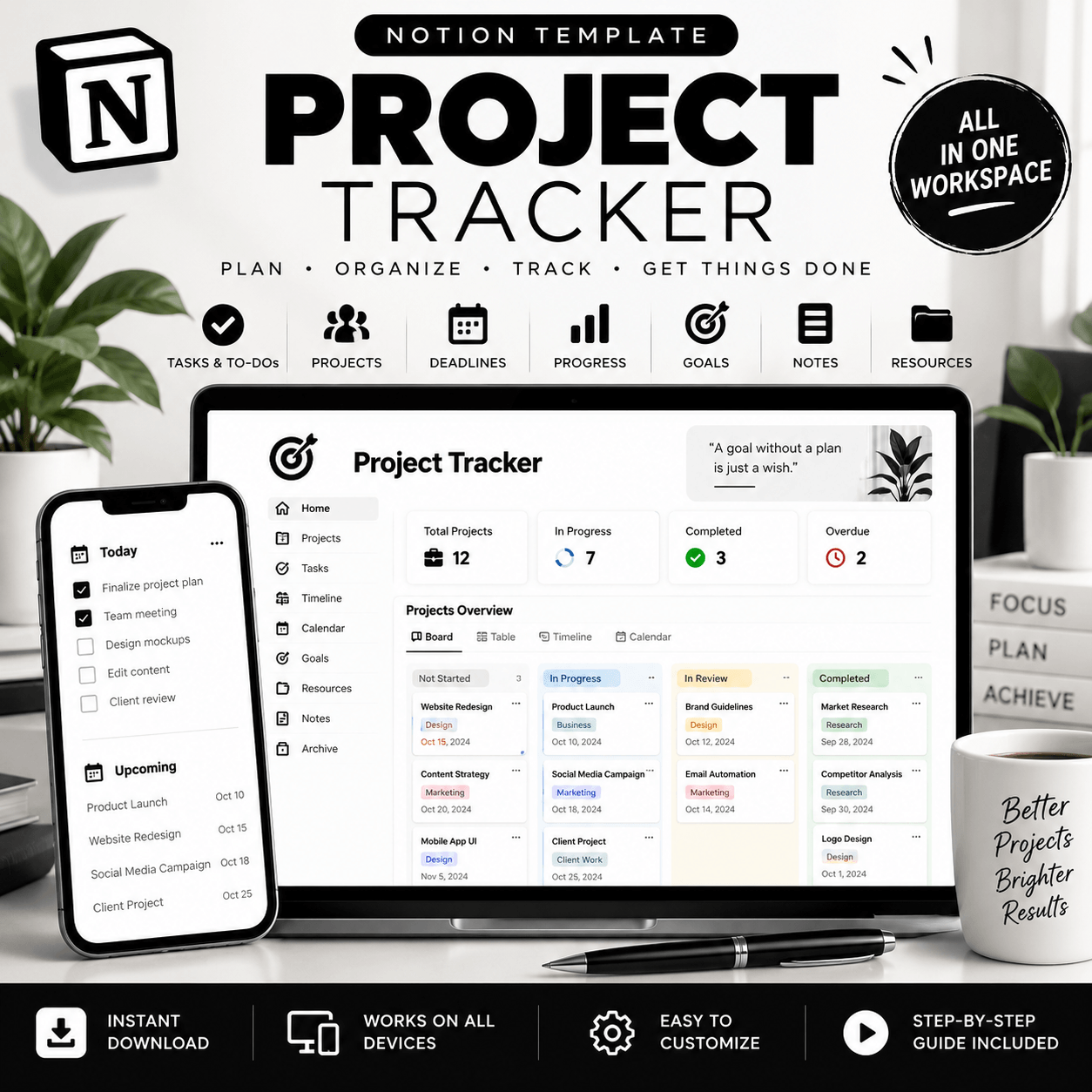
Project Tracker Notion Template – Organize Your Projects with Clarity
Managing multiple projects can quickly become overwhelming when tasks, deadlines, notes, and priorities are scattered across different places. The Project Tracker Notion Template helps you bring your project information together in one organized workspace, making it easier to plan your work, monitor progress, and keep track of what needs attention.
Whether you’re a freelancer handling client assignments, a business owner coordinating projects, a student managing coursework, or a content creator planning upcoming work, this Notion project management template gives you a flexible starting point for building a more organized workflow. View More Notion Templates
Keep Your Projects Organized in One Place
A clear project overview can make everyday planning easier. Use your Project Tracker Notion Template to structure project details, organize related tasks, and keep important information accessible from a central workspace.
Instead of relying on scattered notes or disconnected lists, you can create a consistent system for reviewing active projects and deciding what to work on next.
The template is designed to provide a practical foundation that you can adapt to your projects, priorities, and preferred working style.
Key Features and Benefits
✅ Project Organization
Keep project information structured so you can review your work without searching through multiple documents or notes.
✅ Task and Deadline Management
Organize individual tasks and record important due dates, helping you plan your workload and identify upcoming responsibilities.
✅ Progress Tracking
Use the available project status and tracking fields to maintain a clearer view of your project’s progress. The specific tracking options depend on the included template setup.
✅ Priority Management
Identify important tasks and organize your workload around deadlines, responsibilities, and project goals.
✅ Customizable Notion Workspace
Adapt compatible pages, databases, properties, and views to fit your workflow. Notion’s flexible workspace makes it possible to personalize the way you organize information.
Who Is This Project Tracker For?
This template can be useful for a wide range of people who want a more structured approach to managing projects.
✅ Freelancers: Organize client work, project tasks, and important deadlines.
✅ Small Business Owners: Keep business projects and related activities easier to review.
✅ Students: Structure assignments, group projects, and academic deadlines.
✅ Content Creators: Plan creative projects and manage upcoming deliverables.
✅ Professionals: Maintain a central overview of ongoing responsibilities and priorities.
How to Use Your Notion Project Tracker
Getting started is straightforward:
1. Purchase the digital template through the product page.
2. Follow the delivery instructions to open your Notion template.
3. Duplicate the template into your Notion workspace.
4. Add your own projects, tasks, and relevant details.
5. Customize the available fields and views to suit your workflow.
6. Review your projects regularly and update their progress.
For the best experience, begin with a few active projects and build your system gradually.
Why Choose a Notion Project Tracker?
A useful project management system should help you understand your work, not make it more complicated. This template offers a structured starting point for organizing project details and creating a workflow that feels manageable.
Use it to bring your planning into one place, establish a consistent way to review tasks, and make your project information easier to navigate.
Instead of starting with a blank Notion page, you can begin with an existing structure and adapt it to your needs.
Get Organized with Your Project Tracker
Ready to bring more structure to your projects?
Choose the Project Tracker Notion Template and create a workspace that helps you organize tasks, review deadlines, and manage your projects with greater clarity.
Get your template today and start building a workflow that works for you.
How It Works:
1️⃣ Purchase the product
2️⃣ Download instantly
Important Notes:
📌 This is a digital product; no physical item will be shipped.
📌 A Notion account may be required to use the template.
📌 Features and customization options depend on the actual template.
📌 This template is an organizational tool, not a bank account integration or payment-processing service unless explicitly stated.


Reviews
There are no reviews yet.